Documentation
Working with AI
MCP integration and AI-assisted development
AI in Stellify isn't a suggestion engine bolted onto an editor. Agents operate on your project through structured tools — and the workflow those tools exist to serve is the Stellify development loop: connect your editor over MCP, let AI find existing code and wire it into your project, then sync the result back to your repo or export it.
The Development Loop
Connect Claude Code, Cursor, VS Code, or any MCP-compatible client through the Stellify MCP server, and your agent works on your Stellify project from inside the editor you already use:
It finds before it generates. The agent's mandatory first move on any feature is search_code — Stellify's curated library of proven units, searchable down to individual methods. A hit gets referenced into your project in one call: real, reviewed code, wired to your routes and models, at a fraction of the cost of regenerating it.
It builds what's missing. No match? One tool call scaffolds the resource stack — Model, Controller, Service, Migration — and the agent fills in your business logic at the method level. It checks your project's enabled capabilities before writing code against them; if framework-level support doesn't exist, it raises a capability request instead of hallucinating infrastructure.
It proves the work. The agent runs methods in a sandboxed environment, applies migrations to your database, and executes test files with automatic rollback. You review working, tested code — not plausible-looking suggestions.
You ship it. Commit the assembled feature back to your GitHub repo with Live Sync, or export the project wholesale. Then run the loop again.
The Built-in Chat
The same tool surface is available without leaving the browser. The editor's AI chat panel knows what you have selected — route, file, method — and works on it directly:
- Plans multi-step work as tasks you can follow
- Scaffolds resource stacks and wires routes
- Edits individual methods and statements surgically
- Builds UI elements and wires events to methods
- Analyzes performance and code quality
Changes land live in the canvas and code view as it works.
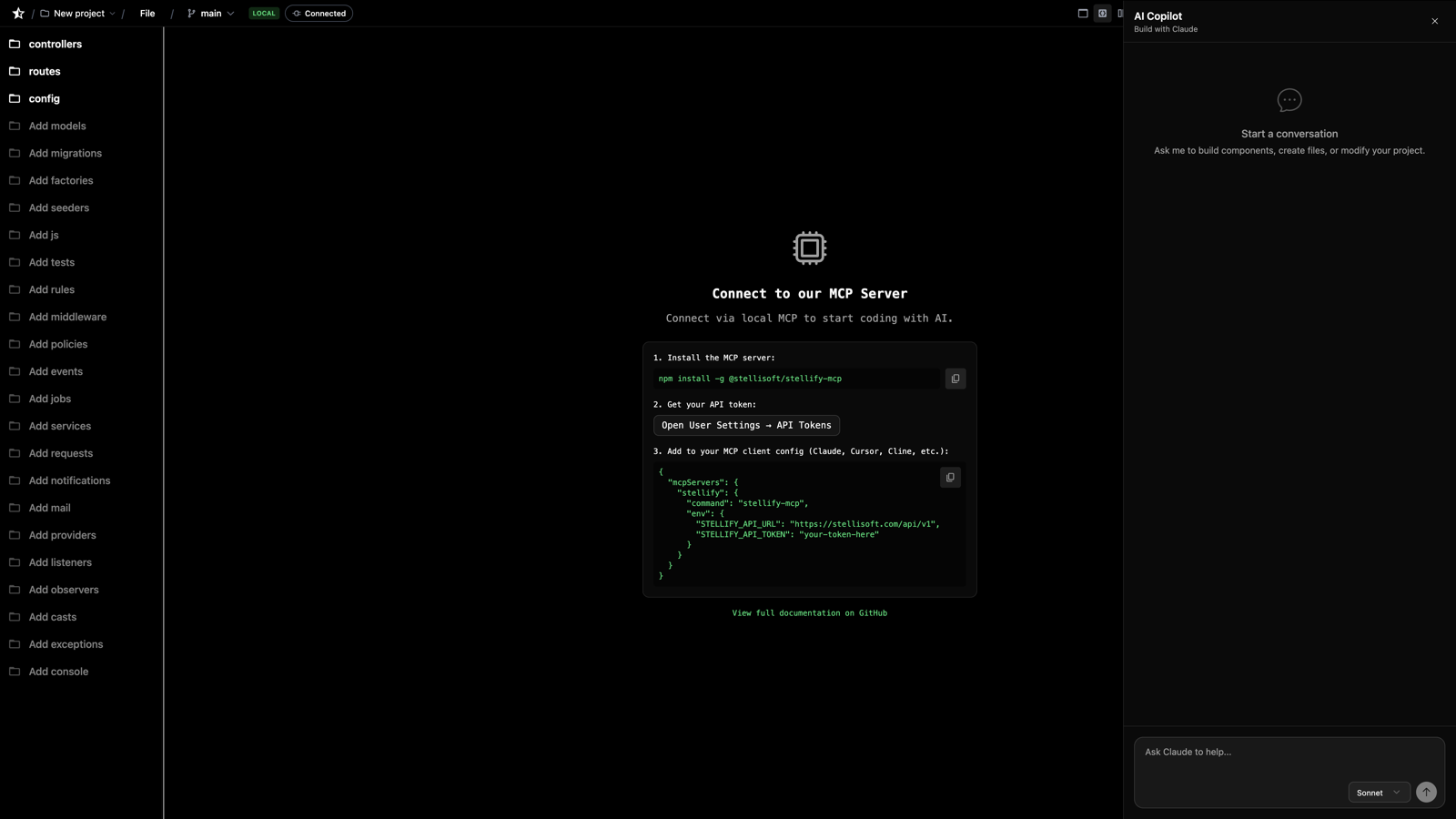
Use whichever fits the moment: the MCP connection when you're working from your IDE (and when importing an existing codebase — the agent needs to read your local files), the chat when you're refining in the browser.
Prompts That Use the Loop Well
Lead with reuse:
"Add user registration — check the library for an existing flow before writing one"
Scaffold what's new:
"Create a blog posts feature with a Post model, PostController with CRUD methods, and API routes"
Target precisely — method-level edits are the platform's native grain:
"Add a search method to UserController that filters by email"
Make it prove itself:
"Run the tests for the checkout service and fix any failures"
Build UI from description:
"Create a dashboard page with a sidebar, header, and main content area using Tailwind"
Working Habits
Let it search first. If you tell the agent to write something from scratch, it will. Asking it to check the library first is the cheaper, better-tested path.
Build incrementally. One feature per pass through the loop beats one giant prompt. Review, sync, repeat.
Make verification part of the ask. "…and run it" or "…and write a test" turns generated code into proven code before you ever read it.
Review like it's a PR. It leaves Stellify as standard Laravel — read it the way you'd read any contribution.
Next Steps
- The MCP Server - Setup and the full tool reference
- Code Reuse - How referencing and copy-on-write work
- Exporting Code - Sync back and close the loop
- Previous
- User Settings
- Next
- The MCP Server